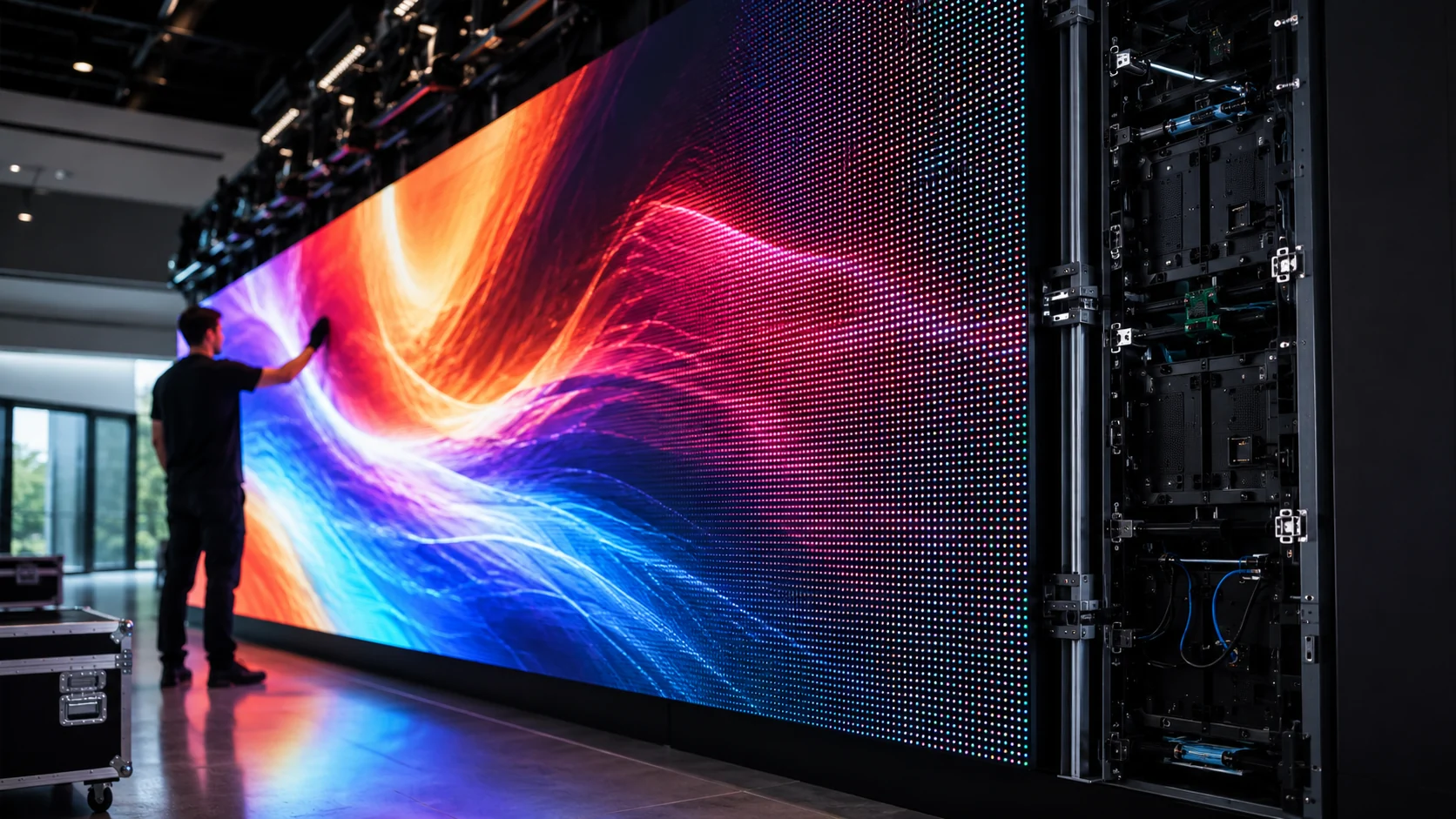
How do LED walls work? An LED wall works by turning video content into millions of controlled points of red, green, and blue light. A media player, video processor, LED controller, receiving cards, power supplies, and modular LED panels work together to create one seamless display.
A large LED wall can look like one giant screen, whether it is installed in a retail store, conference venue, stadium, church, hotel lobby, control room, or outdoor advertising location.
But an LED wall is not one oversized television.
It is a complete display system made of LED modules, cabinets, processors, controllers, receiving cards, power supplies, data cables, mounting structures, and content software. All of these parts must work together correctly for the wall to display a seamless, bright, and reliable image.
Understanding how LED walls work makes it much easier to choose the right screen for your project. It also helps you avoid common mistakes, such as selecting the wrong pixel pitch, underestimating power requirements, or installing a wall that cannot display your content properly.
How Do LED Walls Work?
To understand how do LED walls work in real projects, it helps to see the display as a connected system rather than a single screen. The video source sends content to a processor, the controller distributes that content across the cabinets, and each receiving card manages the pixels inside its assigned LED modules.
An LED wall works by turning a video signal into millions of tiny light instructions.
A computer, media player, camera, or content management system sends video content to an LED processor. The processor adjusts that content for the wall’s physical size and resolution. It then sends the correct image data to the LED controller and receiving cards inside the display.
The receiving cards tell each LED module what to show.
Each tiny LED pixel uses red, green, and blue light to create the final image. When all pixels work together, viewers see videos, graphics, live camera feeds, advertisements, presentations, menus, or digital artwork as one large seamless display.
The basic process looks like this:
- A content source sends a video signal.
- A video processor formats and scales the content.
- An LED controller divides the image across the wall.
- Receiving cards send instructions to each cabinet.
- LED modules light up individual red, green, and blue pixels.
- The audience sees one complete image.
This is why an LED wall is best understood as a system, not just a screen.
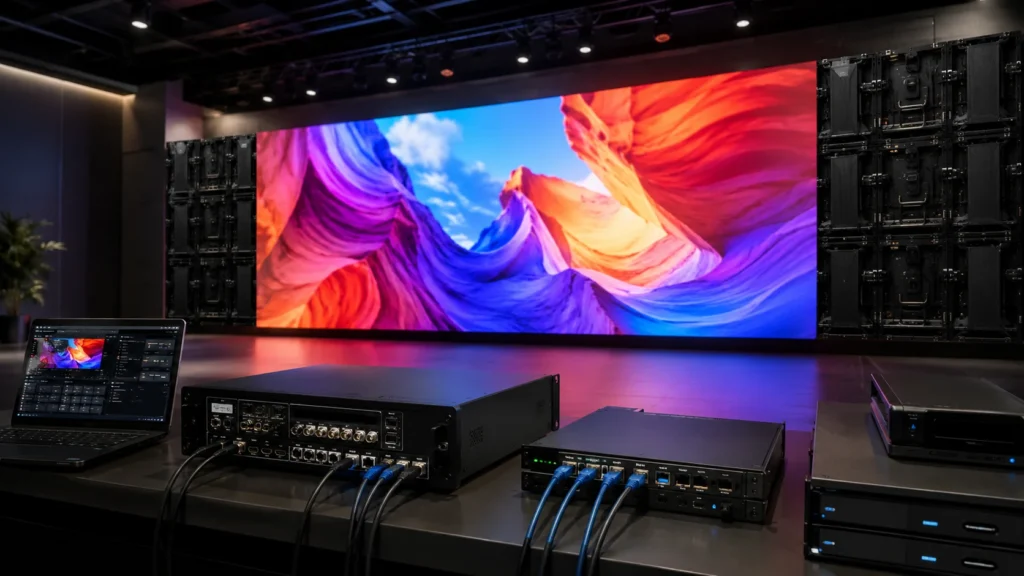
What Is an LED Wall?
An LED wall, also called a direct-view LED display or LED video wall, is a large digital display made by connecting multiple LED panels together.
Instead of using one single screen, the wall is assembled from smaller sections. These sections fit together to create a much larger display surface.
This modular design gives LED walls several advantages:
- They can be built in custom sizes.
- They can be installed in wide, tall, curved, square, or non-standard shapes.
- They do not have the visible bezels found between many LCD video wall panels.
- They can achieve very high brightness levels.
- They can be used indoors, outdoors, or in high-ambient-light spaces.
- Individual modules or components can often be serviced or replaced.
An LED wall can be as small as a retail feature display or as large as a stadium scoreboard, concert backdrop, building façade, or outdoor billboard.
Is an LED Wall the Same as an LED TV?
Not exactly.
Many televisions are marketed as LED TVs, but most are actually LCD screens with LED backlighting. The LEDs sit behind the LCD panel and provide illumination.
A direct-view LED wall works differently.
In an LED wall, the visible pixels themselves are made of individual LEDs. Those LEDs create the image directly.
This difference matters because direct-view LED walls can be:
- Much larger than standard televisions.
- Built in custom dimensions.
- Brighter for outdoor and commercial applications.
- More flexible in shape and installation.
- Easier to scale for large venues and architectural spaces.
The Main Components of an LED Wall System
The visible screen is only one part of the setup. A properly designed LED wall includes several connected components.
LED Modules
LED modules are the smallest visible building blocks of the wall.
Each module contains many tiny LEDs arranged in a grid. These LEDs create the pixels that form the final image.
Modules are installed inside larger cabinets. If one module develops a fault, technicians can often replace that section instead of removing the entire display.
The quality of the LED module affects:
- Image sharpness
- Color consistency
- Brightness
- Viewing angle
- Reliability
- Maintenance requirements
LED Cabinets
LED cabinets hold the internal components of the display.
A cabinet may contain:
- LED modules
- Receiving cards
- Power supplies
- Internal data connections
- Cooling or ventilation components
- Structural mounting points
Multiple cabinets connect together to form the full LED wall.
Cabinet design affects how the wall is installed, serviced, transported, and aligned. Rental LED walls usually use lightweight cabinets with quick-lock systems. Fixed installations often use cabinets designed for long-term stability, hidden cabling, and easy servicing.
RGB LED Pixels
Every image on an LED wall is made from pixels.
Each pixel typically includes three colors of light:
- Red
- Green
- Blue
By changing the brightness of these three colors, the wall can create a wide range of colors.
For example:
- Red light only creates a red pixel.
- Green and red light together create yellow.
- Blue and red light together create magenta.
- Red, green, and blue at high brightness create white.
- All three colors off create black or near-black.
When millions of RGB pixels change brightness together, they create videos, images, text, animation, and live content.
LED Drivers
LED driver chips control how individual LEDs behave.
They receive instructions from the receiving card and regulate:
- Which LEDs turn on
- Which color they display
- How bright they appear
- How quickly they update
- How smoothly they transition between shades
The quality of the driver system can influence color depth, motion performance, refresh rate, grayscale quality, and camera compatibility.
Receiving Cards
Receiving cards are installed inside LED cabinets.
Their job is to receive image data from the controller and distribute that information to the correct LED modules.
Think of the receiving card as a local traffic controller inside each cabinet.
It tells the cabinet:
- Which part of the image to display
- Which pixels belong to that cabinet
- How bright the LEDs should be
- How colors should be rendered
- How the cabinet should synchronize with the rest of the wall
Incorrect receiving-card configuration can cause image problems such as:
- Scrambled visuals
- Mirrored sections
- Missing image areas
- Incorrect cabinet order
- Brightness differences
- Color mismatches
LED Controller
The LED controller sends image data to the wall.
It takes the processed video signal and divides it into sections that match the physical layout of the LED wall. Each cabinet receives only the portion of the image it needs to display.
For example, if a wall has 24 cabinets, the controller does not send the full image to every cabinet. It sends each cabinet its own assigned image area.
The controller is important for:
- Screen mapping
- Signal distribution
- Resolution management
- Synchronization
- Multi-cabinet communication
- Reliable playback
Video Processor
The video processor prepares content before it reaches the LED controller.
It can receive video from sources such as:
- Laptops
- Cameras
- Media servers
- Digital signage players
- Broadcast systems
- Video switchers
- Gaming computers
- Video conferencing systems
- Security camera systems
The processor can then:
- Scale content to fit the wall.
- Adjust aspect ratio.
- Crop or position the image.
- Switch between video inputs.
- Display multiple sources at once.
- Support picture-in-picture layouts.
- Improve image quality.
- Manage live camera feeds.
- Handle different input formats such as HDMI, SDI, and DisplayPort.
For events, the processor may switch between presentation slides, live cameras, sponsor content, and pre-produced videos.
For retail or corporate locations, it may manage scheduled content, product campaigns, dashboards, and branded visuals.
Media Player or Content Management System
The media player stores or streams the content shown on the LED wall.
A content management system, often called a CMS, allows a business to manage content remotely.
This can include:
- Scheduling promotions
- Updating product campaigns
- Changing digital menus
- Managing multiple locations
- Displaying time-sensitive announcements
- Running advertising campaigns
- Updating branded visuals
- Monitoring playback status
A strong LED wall installation needs both good hardware and a simple content workflow. A high-quality wall cannot perform at its best if the content is poorly designed, outdated, or difficult to manage.
Power Supplies and Distribution
LED walls need stable power.
Each cabinet requires power for its LED modules, receiving card, and internal electronics. Large installations need a properly planned power distribution system.
Power planning affects:
- Safety
- Reliability
- Brightness consistency
- Heat management
- Long-term performance
- Backup capability
Power should never be treated as an afterthought. A wall may look perfect during testing but become unstable if the electrical system cannot support full brightness, long operating hours, or high-demand content.
Data Cables and Fiber Connections
The wall also needs a reliable data path.
Data cables carry image information from the controller to the receiving cards. Smaller LED walls may use standard network-style connections, while large or complex installations may use fiber connections.
Fiber can be useful when the project requires:
- Long cable runs
- High data capacity
- Strong signal reliability
- Reduced interference risk
- Multiple display zones
- Redundant backup paths
Professional projects may include backup data routes. This helps the wall continue operating even if one cable or signal path fails.
Mounting Structure
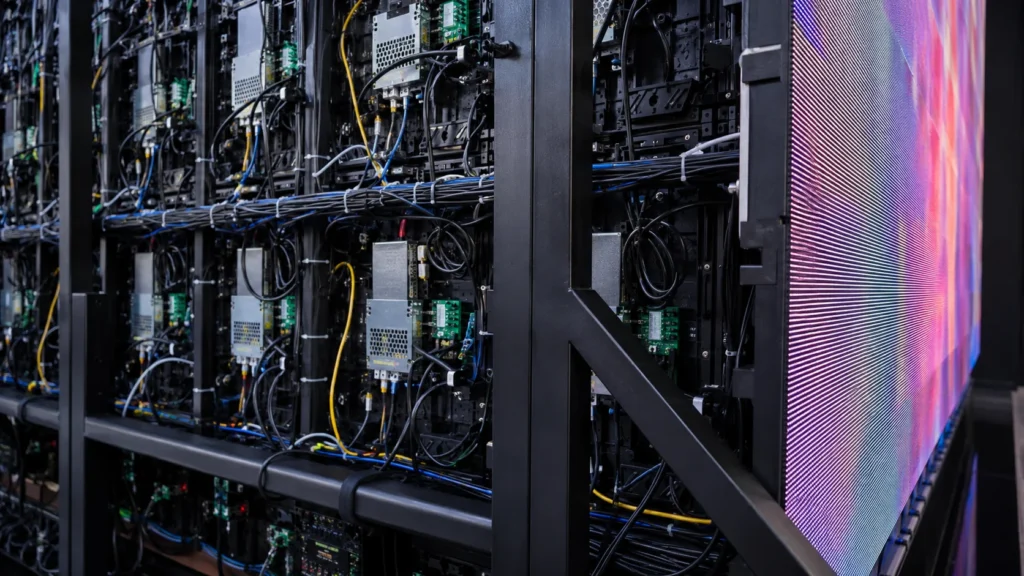
The mounting structure supports the physical weight of the LED wall and keeps cabinets aligned.
This is critical because even a small alignment issue can create visible lines, uneven surfaces, or gaps between cabinets.
LED walls may be:
- Wall-mounted
- Floor-supported
- Suspended from truss
- Built into architecture
- Installed on curved structures
- Mounted on mobile trailers
- Positioned as free-standing event backdrops
The structure must support the screen safely while allowing access for maintenance.
How LED Walls Turn Video Content Into Light
The process sounds complicated, but it can be understood in six stages.
Step One: A Video Source Sends Content
Everything begins with content.
The source may be:
- A laptop presentation
- A commercial media player
- A live camera
- A digital signage platform
- A broadcast feed
- A live event switcher
- A social media feed
- A security system dashboard
- A gaming or simulation computer
This source provides the original image or video.
Step Two: The Processor Adjusts the Content
The LED wall may not have the same aspect ratio or resolution as the source content.
For example, a presentation laptop may output a standard 16:9 image, while the wall may be extra-wide, tall, square, or custom-shaped.
The video processor adjusts the content so it fits the LED wall correctly.
This can involve:
- Scaling
- Cropping
- Positioning
- Resolution conversion
- Input switching
- Multi-window layouts
Without correct processing, content can appear stretched, blurry, too small, cropped, or surrounded by black bars.
Step Three: The Controller Splits the Image
The controller divides the image into sections.
Imagine a large image broken into a grid. Each cabinet receives only the small part of the image that belongs in its physical position.
When every cabinet displays its assigned section at the same time, the audience sees one complete image.
Step Four: Receiving Cards Route the Data
Each cabinet’s receiving card receives its portion of the image data.
The receiving card sends that information to the correct LED modules inside the cabinet.
This process happens continuously and very quickly. The wall updates many times per second to display smooth motion and video.
Step Five: LED Drivers Control Each Pixel
LED drivers adjust the brightness of red, green, and blue LEDs.
This creates:
- Color
- Brightness
- Contrast
- Grayscale
- Movement
- Text
- Images
- Video
The wall does not simply turn LEDs on and off. It controls the intensity of each color so the display can produce detailed visuals.
Step Six: The Audience Sees a Seamless Image
From close range, you may be able to see the individual pixels.
From the correct viewing distance, your eyes blend these tiny points of light together. The result is one clear, unified image.
This is why viewing distance is one of the most important factors in LED wall planning.
What Determines LED Wall Image Quality?
Not all LED walls deliver the same experience.
Several technical specifications influence how sharp, bright, smooth, and consistent the image appears.
Pixel Pitch
Pixel pitch is the distance between the center of one LED pixel and the center of the next pixel. It is measured in millimeters.
A smaller pixel pitch means pixels are closer together.
This usually means:
- Higher pixel density
- Sharper image quality
- Better detail at close viewing distances
- Higher cost
A larger pixel pitch means pixels are farther apart.
This can be suitable for:
- Outdoor billboards
- Stadiums
- Concert backdrops
- Large event screens
- Long-distance audiences
The right pixel pitch depends on:
- Viewing distance
- Screen size
- Content type
- Indoor or outdoor use
- Budget
- Required detail level
A fine pixel pitch may be essential for a boardroom display showing spreadsheets and detailed text. It may be unnecessary for an outdoor screen viewed from 30 meters away.
Resolution
LED wall resolution depends on the total number of pixels across the width and height of the display.
A larger wall does not always have higher resolution.
For example, a large wall with wide pixel spacing may have fewer pixels than a smaller wall with fine pixel pitch.
Resolution matters most when the wall will display:
- Small text
- Dashboards
- Spreadsheets
- Product details
- High-resolution video
- Broadcast graphics
- Detailed presentations
Brightness
Brightness is measured in nits.
Indoor LED walls need enough brightness to compete with room lighting, windows, and overhead fixtures.
Outdoor LED walls need much higher brightness because they must remain visible in daylight.
More brightness is not always better.
An indoor wall that is too bright can feel uncomfortable, cause eye strain, and make dark content look washed out. The correct brightness level depends on the environment and should be calibrated accordingly.
Refresh Rate
Refresh rate describes how often the wall updates the image every second.
A higher refresh rate is especially important for:
- Fast-moving video
- Sports content
- Live events
- Camera filming
- Broadcast environments
- Virtual production
- Motion graphics
Refresh rate becomes particularly important when cameras are filming the LED wall. Poor refresh performance can create flicker, scan lines, or inconsistent visuals on camera.
Color Calibration
Color calibration helps all cabinets display the same colors and brightness levels.
Without calibration, one cabinet may look slightly warmer, cooler, brighter, or darker than the cabinets around it.
This is especially visible in:
- White backgrounds
- Gray gradients
- Skin tones
- Brand colors
- Product visuals
- Premium retail content
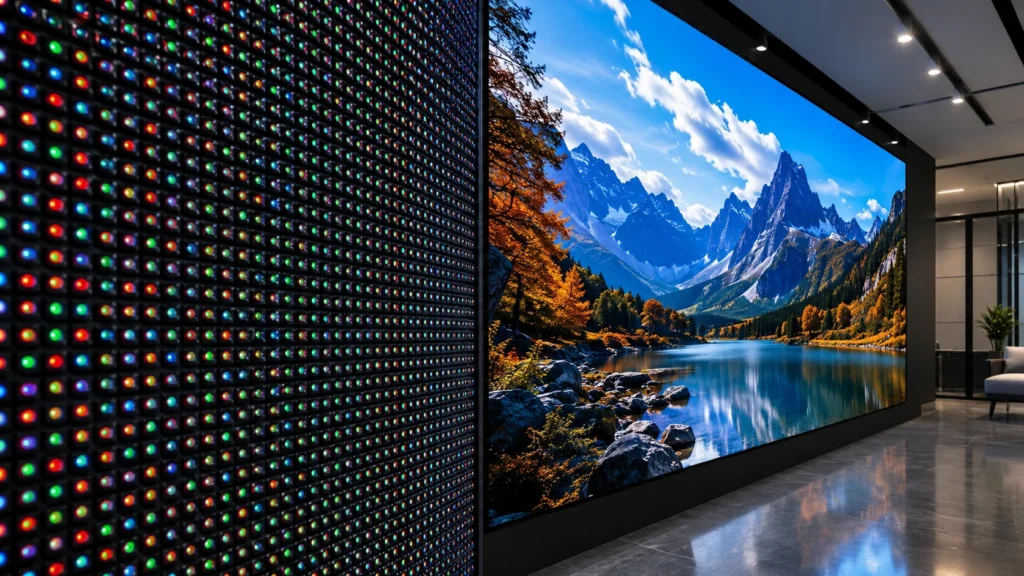
Contrast and Black Levels
Contrast affects the difference between dark and bright areas.
Better contrast can make images feel more detailed, richer, and more realistic. This matters for premium interiors, broadcast studios, luxury retail, virtual production, and cinematic content.
How Are LED Wall Size and Resolution Calculated?
LED wall planning begins with the physical space.
Before choosing a screen, a supplier should understand:
- Available wall width
- Available wall height
- Closest viewing distance
- Average viewing distance
- Audience size
- Content type
- Lighting conditions
- Indoor or outdoor environment
- Power availability
- Structural limitations
- Budget
- Maintenance access
A basic resolution calculation looks like this:
Wall width in millimeters ÷ pixel pitch = horizontal pixel count.
Wall height in millimeters ÷ pixel pitch = vertical pixel count.
For example, a wall that is 5,000 mm wide using a 2.5 mm pixel pitch would have approximately 2,000 pixels across its width.
This calculation helps determine whether the wall can display standard Full HD, 4K, or custom-resolution content effectively.
Indoor vs Outdoor LED Walls
Indoor and outdoor LED walls are designed for different conditions.
Indoor LED Walls
Indoor LED walls are usually built for closer viewing distances and controlled lighting.
They are common in:
- Retail stores
- Corporate lobbies
- Boardrooms
- Control rooms
- Churches
- Exhibition spaces
- Hotels
- Showrooms
- Studios
- Restaurants
Indoor walls often use smaller pixel pitch options because viewers stand closer to the display.
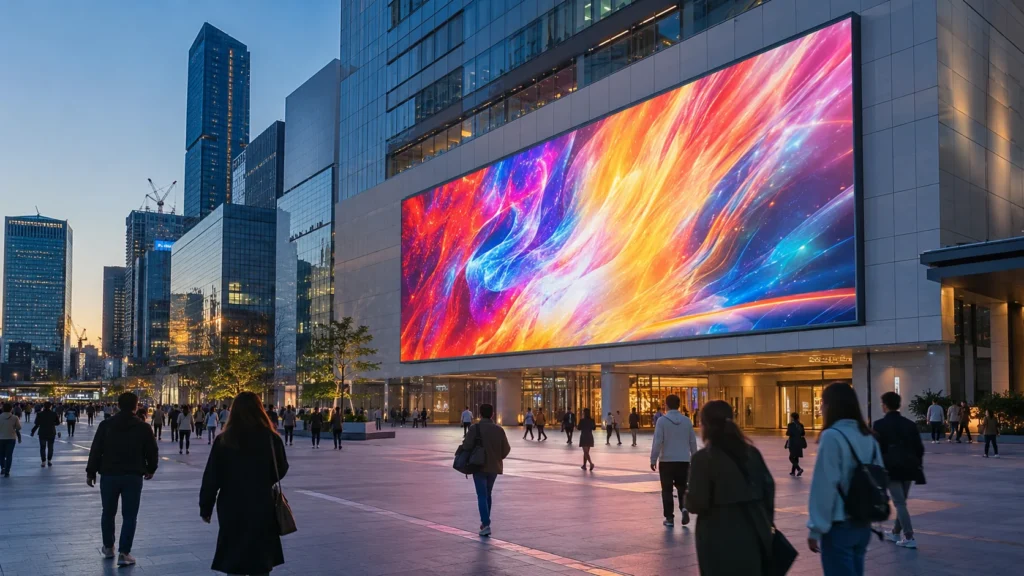
Outdoor LED Walls
Outdoor LED walls need to handle sunlight, rain, dust, temperature changes, and long viewing distances.
They are often used for:
- Digital billboards
- Stadiums
- Transport hubs
- Outdoor events
- Public plazas
- Building facades
- Drive-through displays
- Shopping center signage
Outdoor systems usually need:
- Higher brightness
- Weather-resistant cabinets
- Strong mounting structures
- Proper drainage
- Heat management
- Reliable power planning
- Protection against dust and moisture
Fixed LED Walls vs Rental LED Walls
The right LED wall type depends on whether the screen will stay in one location or move between events.
Fixed LED Walls
Fixed LED walls are designed for long-term installation.
They are often used in:
- Retail locations
- Corporate spaces
- Hotels
- Restaurants
- Churches
- Control rooms
- Outdoor advertising
- Showrooms
- Reception areas
They prioritize:
- Long-term reliability
- Clean appearance
- Cable management
- Stable mounting
- Maintenance access
- Permanent integration
Rental LED Walls
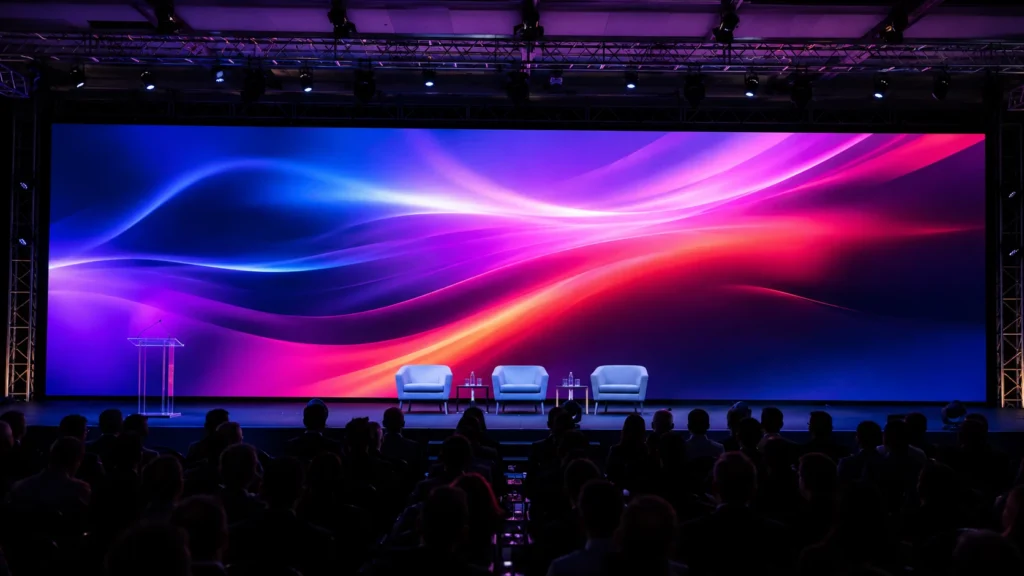
Rental LED walls are designed for quick setup, transport, and breakdown.
They are common at:
- Concerts
- Trade shows
- Weddings
- Conferences
- Product launches
- Sports events
- Festivals
- Temporary installations
They prioritize:
- Lightweight cabinets
- Fast-lock systems
- Portability
- Quick assembly
- Easy replacement
- Flexible configurations
LED Wall vs LCD Video Wall vs Projector
An LED wall is not always the best option for every project.
Here is a practical comparison:
| Feature | LED Wall | LCD Video Wall | Projector |
|---|---|---|---|
| Seamless image | Yes | Bezels may be visible | Yes |
| Brightness | High to very high | Moderate to high | Depends on ambient light |
| Outdoor use | Strong with correct specification | Limited | Poor in daylight |
| Custom sizing | Highly flexible | Limited by panel size | Limited by projection area |
| Shape flexibility | High | Low | Moderate |
| Close-up text detail | Depends on pixel pitch | Often strong | Depends on projector resolution |
| Long-term visual impact | High | Moderate | Moderate |
| Best for | Large, premium, bright displays | Small indoor viewing spaces | Temporary presentations |
An LED wall is often the stronger choice when the project requires:
- Seamless visuals
- High brightness
- Large scale
- Custom dimensions
- Outdoor visibility
- Long-term durability
- High audience impact
LCD or projection may be more practical for smaller spaces, limited budgets, or temporary indoor presentations.
How LED Walls Are Installed
A successful LED wall installation begins long before the screen is powered on.
A professional process usually includes:
- Site survey
- Structural review
- Screen layout design
- Pixel pitch selection
- Power planning
- Data and network planning
- Mounting preparation
- Cabinet installation
- Wiring and screen mapping
- Calibration
- Content testing
- Staff training and handover
Important planning questions include:
- Can the structure safely support the wall?
- Is there enough power available?
- Is ventilation sufficient?
- Can technicians access the wall for maintenance?
- Will the screen be viewed from close range?
- Will it be filmed on camera?
- Does it need remote content management?
- Is backup power or data redundancy required?
How Content Is Managed on an LED Wall
The best LED wall can still underperform if the content is not designed for the screen.
Good LED wall content should consider:
- Actual screen resolution
- Physical aspect ratio
- Viewing distance
- Ambient lighting
- Text size
- Brand colors
- Motion speed
- Content duration
- Audience behavior
Useful content guidelines include:
- Use high-contrast visuals.
- Keep text large and easy to scan.
- Avoid overcrowded layouts.
- Use clear calls to action.
- Test content on the real screen.
- Keep important text away from edges.
- Design for the wall’s actual pixel dimensions.
- Use motion carefully so the message remains readable.
For digital signage, content should also be easy to update. A content management system can help teams schedule campaigns, update menus, change promotions, and manage multiple screens from one location.
LED Wall Maintenance and Reliability
LED walls are designed for long-term use, but they still need maintenance.
Routine maintenance may include:
- Checking for dead pixels
- Inspecting modules
- Testing power supplies
- Reviewing data connections
- Cleaning the display safely
- Monitoring temperature
- Checking brightness consistency
- Updating content software
- Testing backup systems
- Keeping spare parts available
Common LED wall issues include:
| Problem | Possible Cause | Recommended Action |
|---|---|---|
| One cabinet is dark | Power or data issue | Inspect power supply, cable, receiving card, and module connections |
| Image looks scrambled | Incorrect mapping | Reconfigure controller and receiving-card layout |
| Cabinet colors do not match | Calibration issue | Recalibrate brightness and color |
| Camera sees flicker | Refresh or camera setting issue | Review processor, refresh settings, and camera shutter configuration |
| Content looks stretched | Wrong aspect ratio | Adjust content or processor scaling |
| Wall overheats | Ventilation or electrical issue | Check airflow, temperature, and power distribution |
For fixed installations, spare LED modules, receiving cards, power supplies, and data cables can reduce downtime.
What Affects LED Wall Cost?
The cost of an LED wall depends on more than screen size.
Key cost factors include:
- Pixel pitch
- Screen dimensions
- Indoor or outdoor rating
- Brightness level
- Cabinet type
- Mounting structure
- Video processor
- LED controller
- Content management system
- Electrical work
- Data cabling
- Installation complexity
- Structural preparation
- Service access
- Redundant systems
- Maintenance requirements
- Delivery location
The lowest upfront price is not always the best long-term option.
A wall with poor service access, weak calibration, limited support, or no spare parts can become more expensive over time.
How to Choose the Right LED Wall for Your Space
Before requesting a quote, prepare these details:
- Installation location
- Indoor, outdoor, or semi-outdoor environment
- Wall width and height
- Closest viewer distance
- Average viewer distance
- Content type
- Required operating hours
- Need for live video or cameras
- Need for remote content updates
- Budget range
- Preferred installation date
- Existing power availability
- Structural information
- Maintenance access requirements
The best LED wall is not always the one with the smallest pixel pitch or the highest specification.
The best system is the one that fits your space, content, audience, operating conditions, and budget.
Frequently Asked Questions About LED Walls
How does an LED wall display an image?
An LED wall receives video data from a source, processor, and controller. Receiving cards then instruct each LED module and pixel to display the correct color and brightness.
What is pixel pitch on an LED wall?
Pixel pitch is the distance between the center of one pixel and the next. Smaller pixel pitch means pixels are closer together and the screen can look sharper at closer viewing distances.
Can LED walls be used outdoors?
Yes. Outdoor LED walls use high-brightness, weather-resistant components designed to remain visible and reliable in changing environmental conditions.
Do LED walls need a computer?
Not always. An LED wall needs a content source, which may be a computer, media player, digital signage platform, camera system, or broadcast source.
Can an LED wall show live camera feeds?
Yes. With the right processor and input setup, LED walls can display live cameras, presentations, broadcast feeds, event visuals, and multiple content sources.
Can LED wall panels be repaired?
Many LED wall systems are modular. Technicians can often replace individual modules, receiving cards, power supplies, or cabinets instead of replacing the full wall.
Is an LED wall better than a projector?
It depends on the project. LED walls offer more brightness, seamless visuals, and strong outdoor performance. Projectors can be more practical for smaller indoor spaces with controlled lighting and limited budgets.
Plan an LED Wall That Fits Your Space, Content, and Audience
A retail store may need a fine-pitch LED wall that makes product visuals and promotional content look sharp from close range.
A stadium or outdoor advertising location may need high brightness, weather protection, and a pixel pitch suited to viewers standing far away.
A concert or exhibition may need rental cabinets, fast installation, live camera support, and flexible content switching.
A corporate lobby, command center, or broadcast environment may need high resolution, color consistency, reliable processing, and easy maintenance access.
The right LED wall begins with the right system design.
Before choosing a screen, assess the space, audience distance, content requirements, operating environment, and installation conditions. This approach helps ensure the LED wall looks impressive on launch day and remains reliable long after installation.
Need an LED wall recommendation for your project? Share your wall dimensions, viewing distance, location, indoor or outdoor requirements, and content goals to receive a system recommendation that fits your space.
Now that you know how do LED walls work, the next step is choosing the right pixel pitch, brightness, cabinet type, processing equipment, and installation method for your location.